![Logo - NETRONIC Software - Gantt Charts for Visual Scheduling-a-Boyum-IT-Company-01.png]](https://help.netronic.com/hs-fs/hubfs/2017%20Relaunch/Logo/Logo%20-%20NETRONIC%20Software%20-%20Gantt%20Charts%20for%20Visual%20Scheduling-a-Boyum-IT-Company-01.png?height=50&name=Logo%20-%20NETRONIC%20Software%20-%20Gantt%20Charts%20for%20Visual%20Scheduling-a-Boyum-IT-Company-01.png)
The tooltips of the VJS provide further information on the follwing items of your project schedule:
- Jobs
- Job planning lines
- Job tasks
- Resource groups
- Resources
- Resource summaries
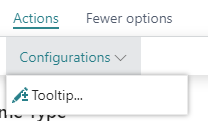
You can specify which information is to be shown in the tooltip of the respective item in the "Tooltip"dialog - to be reached by clicking "Configurations" in the "Actions"menu of the "User Setup" dialog:
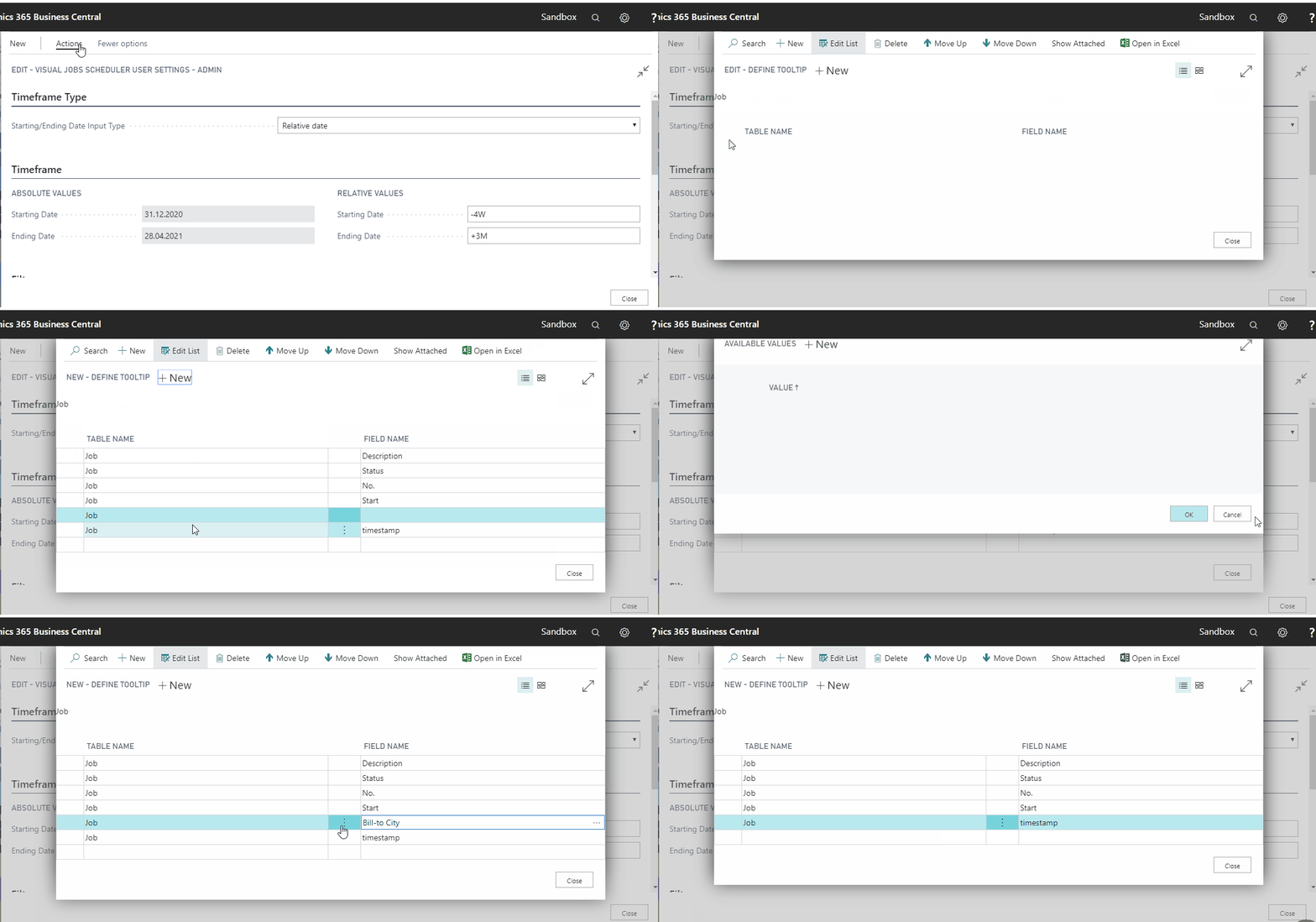
In the dialog popping up, you select the item for which you want to customize the tooltip and then either delete, edit or add fields.
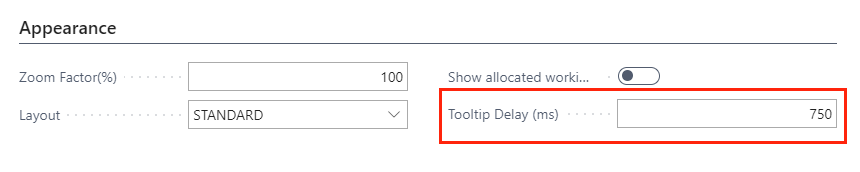
The time after which the tooltip appears can be specified in the appearance settings of the user setup: