![Logo - NETRONIC Software - Gantt Charts for Visual Scheduling-a-Boyum-IT-Company-01.png]](https://help.netronic.com/hs-fs/hubfs/2017%20Relaunch/Logo/Logo%20-%20NETRONIC%20Software%20-%20Gantt%20Charts%20for%20Visual%20Scheduling-a-Boyum-IT-Company-01.png?height=50&name=Logo%20-%20NETRONIC%20Software%20-%20Gantt%20Charts%20for%20Visual%20Scheduling-a-Boyum-IT-Company-01.png)
Discard changes
In case you wish to discard your modifications after modifying the diagram (provided you didn’t store them) you can simply reload the data of the diagram. Just click

After having made changes to your plan you are asked whether to reload the data in order for the changes to take effect.
Restore initial values
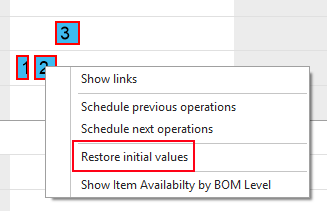
In case you only want to discard changes having been made only just and not having been saved yet, select "Restore initial values" from this operation's contextmenu.
Save changes
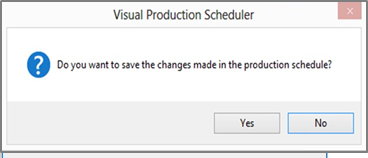
Click the "Save Data" icon to store your modifications and press the "Yes" button in the confirmation prompt that also pops up when you want to leave the VPS without having saved your modifications.