![Logo - NETRONIC Software - Gantt Charts for Visual Scheduling-a-Boyum-IT-Company-01.png]](https://help.netronic.com/hs-fs/hubfs/2017%20Relaunch/Logo/Logo%20-%20NETRONIC%20Software%20-%20Gantt%20Charts%20for%20Visual%20Scheduling-a-Boyum-IT-Company-01.png?height=50&name=Logo%20-%20NETRONIC%20Software%20-%20Gantt%20Charts%20for%20Visual%20Scheduling-a-Boyum-IT-Company-01.png)
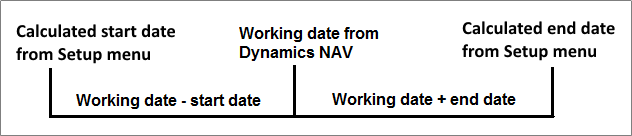
Set the starting and ending date of the time scale depending of the working date: “-4W” in the Starting Date field will prepone the start date of the time scale by four weeks to the work date calculated by NAV, whereas “2M” in the Ending Date field will postpone the end date of the time scale by two months after the work date.
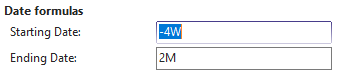
Start and end date of the time scale are calculated by adding the intervals that were provided for start and end date in the date formula to the working date.