![Logo - NETRONIC Software - Gantt Charts for Visual Scheduling-a-Boyum-IT-Company-01.png]](https://help.netronic.com/hs-fs/hubfs/2017%20Relaunch/Logo/Logo%20-%20NETRONIC%20Software%20-%20Gantt%20Charts%20for%20Visual%20Scheduling-a-Boyum-IT-Company-01.png?height=50&name=Logo%20-%20NETRONIC%20Software%20-%20Gantt%20Charts%20for%20Visual%20Scheduling-a-Boyum-IT-Company-01.png)
Step 1
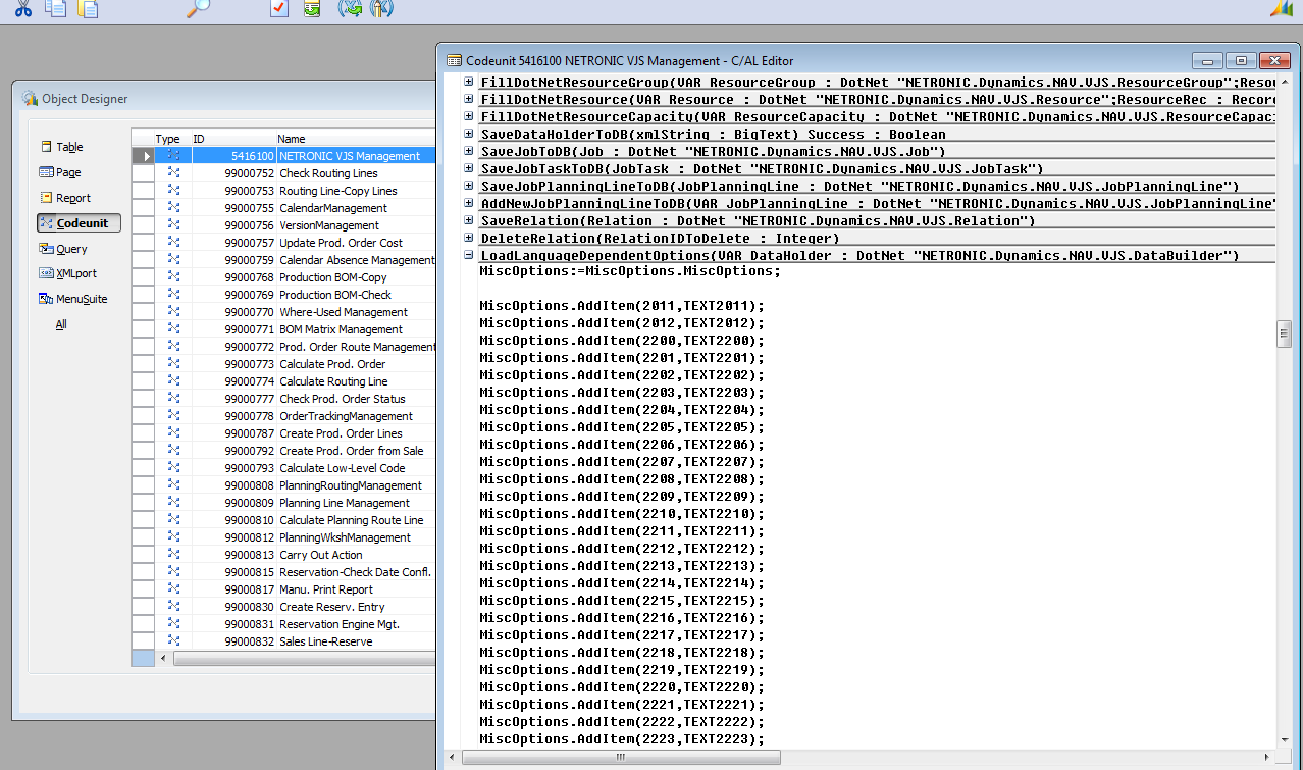
Open codeunit 5416000 (NETRONIC VPS Management) in the Dynamics NAV Development Environment and search for the function LoadLanguageDependentOptions.
Step 2
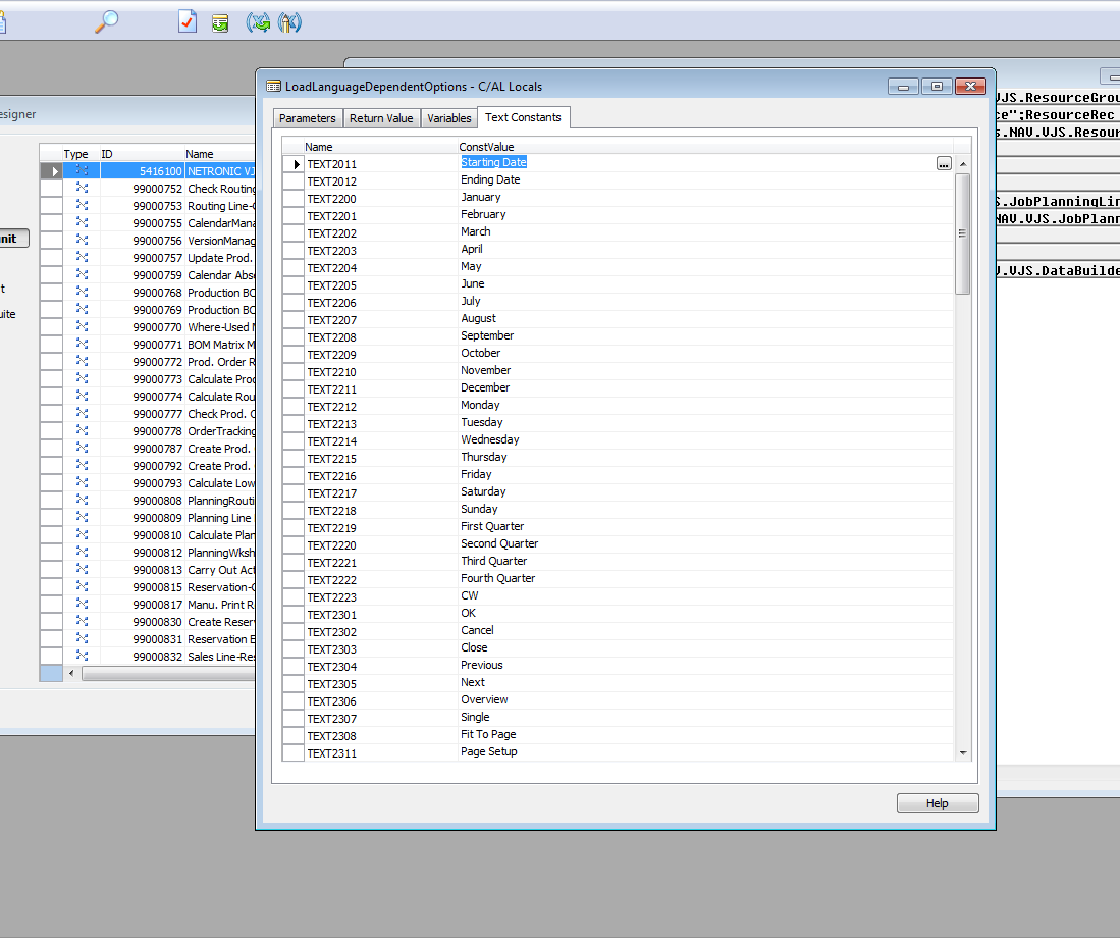
Select View —> C/AL Locals and open the tab "Text Constants" which offers a list with all the texts you need for our Visual Jobs Scheduler to translate into your language. By default, we provide an English and a German version.
Step 3
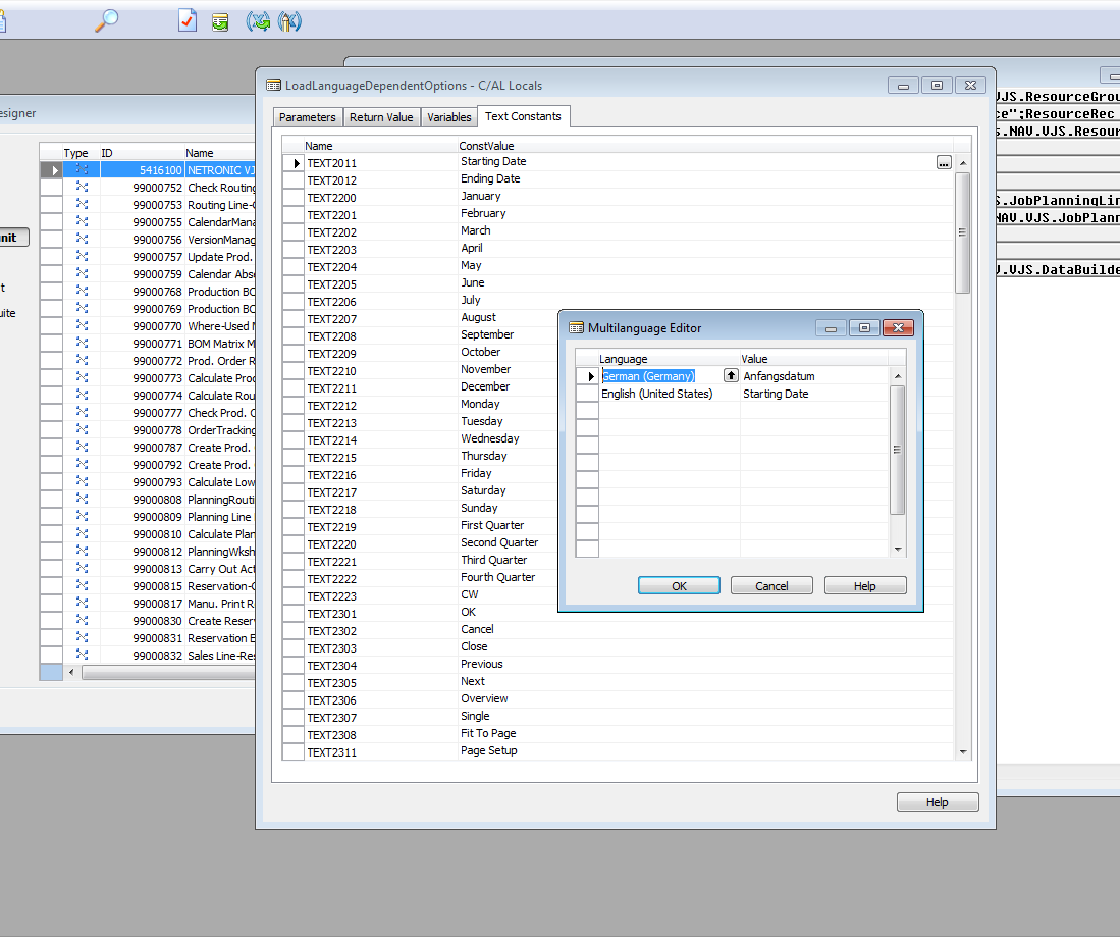
Now, mark each line and click the three bullets ("…"). The window "Multilanguage Editor" appears where you can provide your local translations of the selected texts.
Finally, please compile the codeunit.