![Logo - NETRONIC Software - Gantt Charts for Visual Scheduling-a-Boyum-IT-Company-01.png]](https://help.netronic.com/hs-fs/hubfs/2017%20Relaunch/Logo/Logo%20-%20NETRONIC%20Software%20-%20Gantt%20Charts%20for%20Visual%20Scheduling-a-Boyum-IT-Company-01.png?height=50&name=Logo%20-%20NETRONIC%20Software%20-%20Gantt%20Charts%20for%20Visual%20Scheduling-a-Boyum-IT-Company-01.png)
If you want to highlight certain production orders you can define specific colors for specific production orders that you do not want to be shown in the default item color.
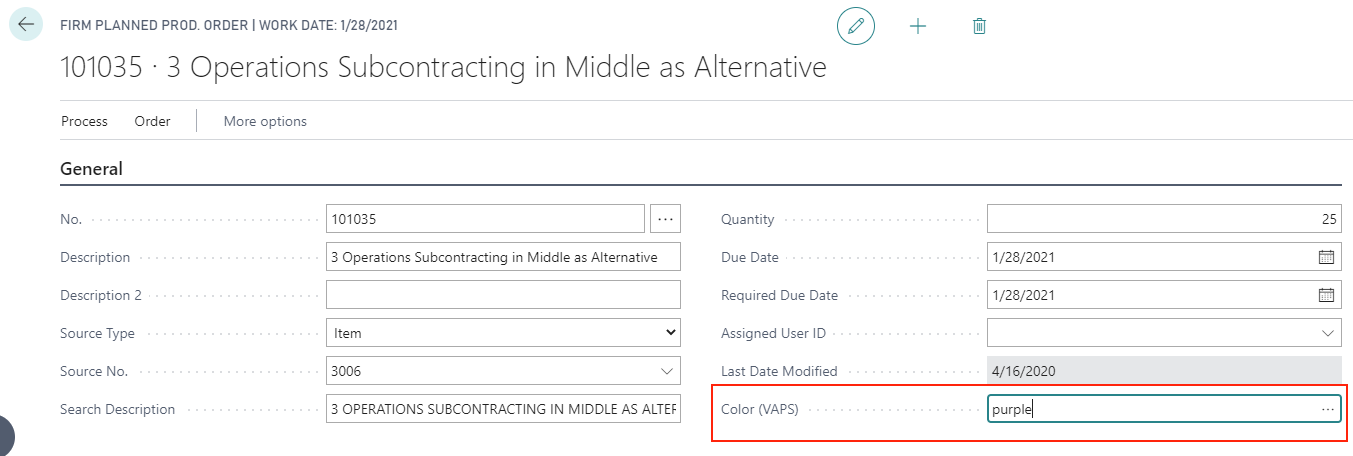
This is done on the production order card where we added a color field to the production order header.
Specify the color by either
- Entering the color's name:
- Clicking on
 in the color field and select the color via color picker - the color's respective hex code will be entered: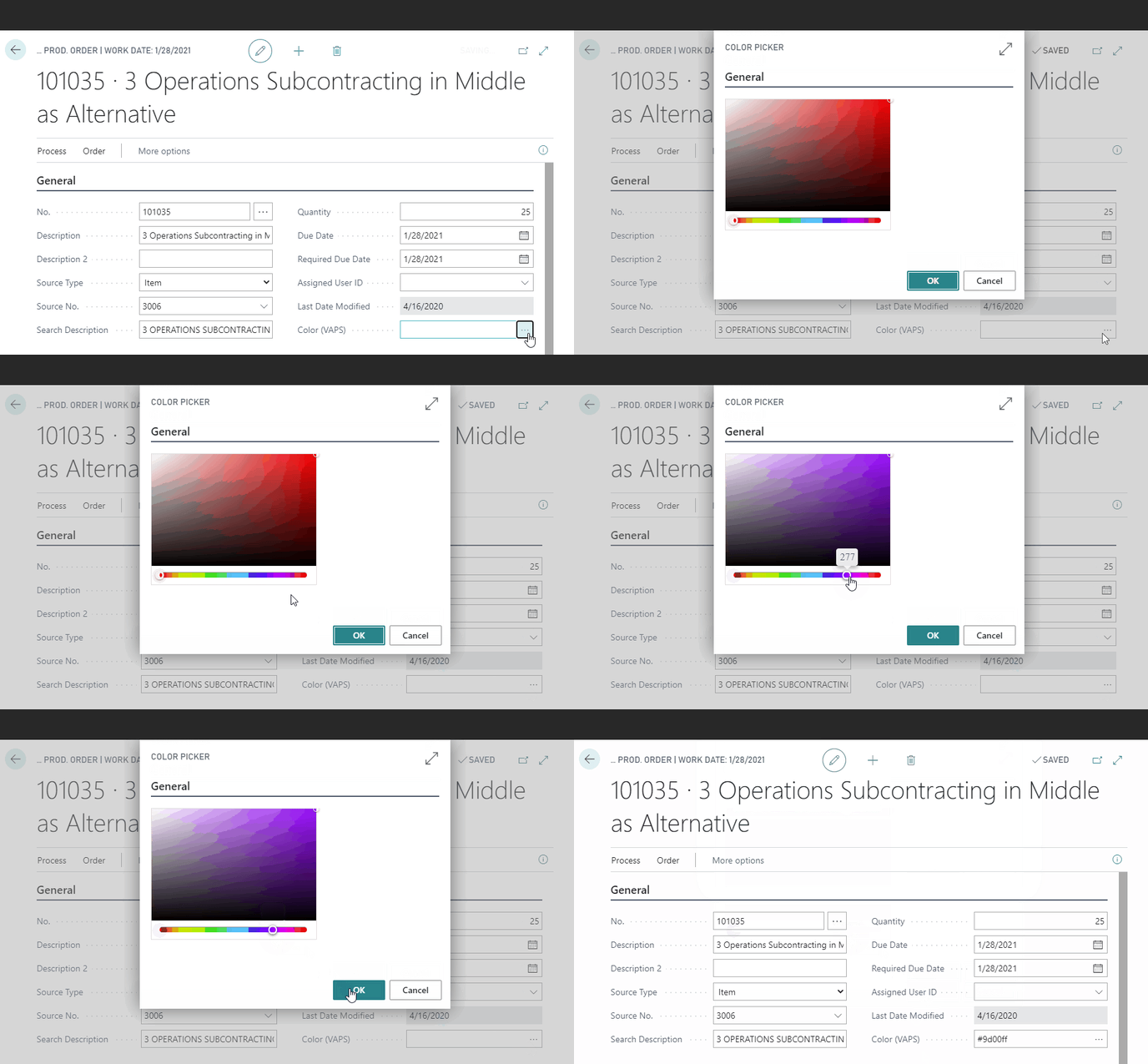
- Type in the hex code